
Microsoft 365 for Plastic Surgery Practices | How Cloud Email and Files Work
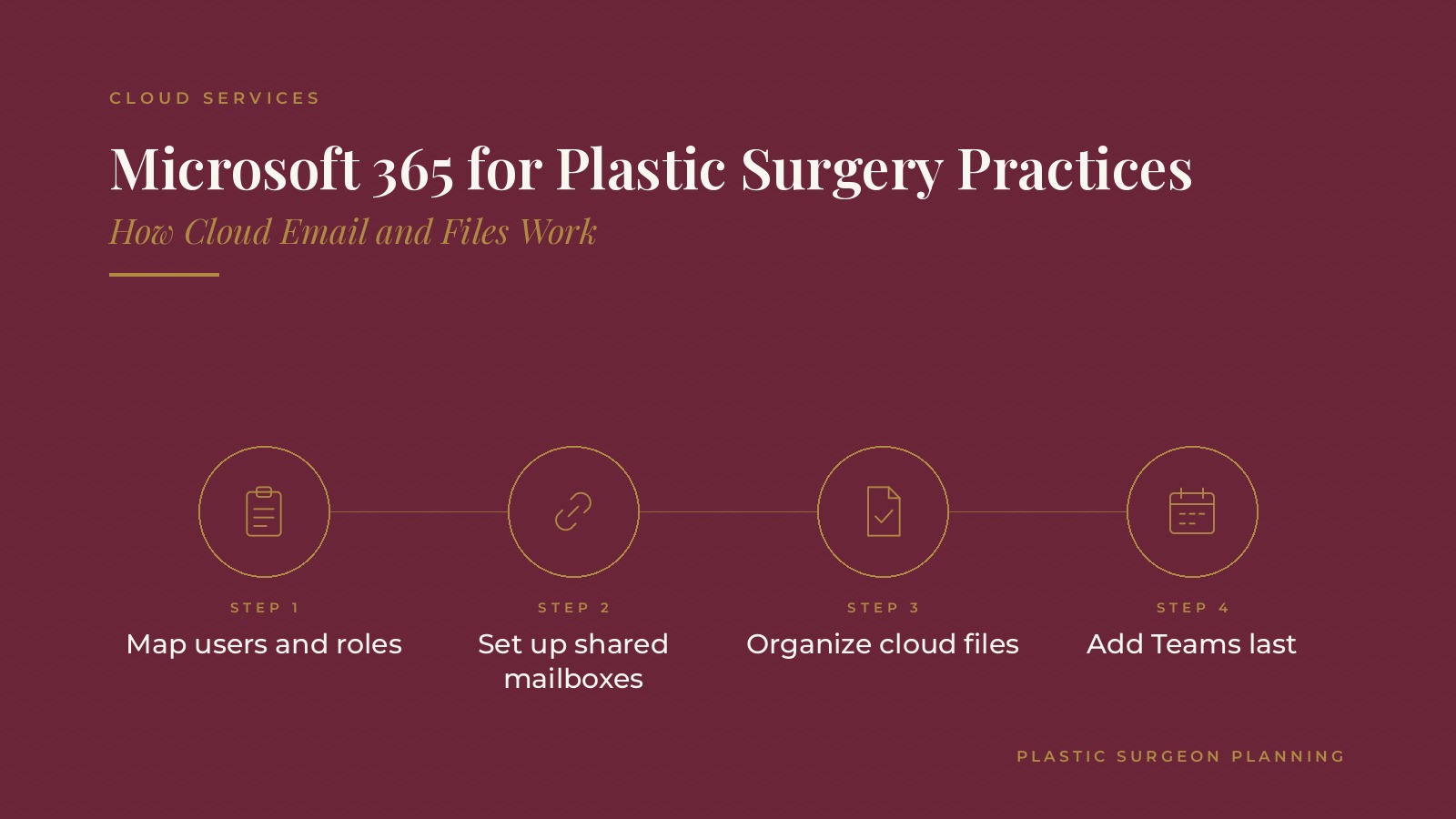
Microsoft 365 for plastic surgery practices is a cloud bundle of email, calendars, file storage, online meetings and document tools that many aesthetic and surgical practices use to run daily work. It gives surgeons, patient coordinators, front desk staff and managers one place to communicate and share files. In short, Microsoft 365 for plastic surgery practices works best when the rollout starts with a list of users and roles, uses shared mailboxes for common inboxes, keeps files in one agreed folder layout and moves in stages with short training sessions. One named owner at the practice keeps the plan on track. This resource from Plastic Surgeon Planning explains how cloud email and files work, how practices commonly organize them, how a rollout is staged and the questions practices bring to an IT professional.
Key takeaways
- Map every user and role before setup begins.
- Use shared mailboxes for common inboxes.
- Keep files in one agreed folder layout.
- Add Teams after email and files are settled.
- Train staff in short, focused sessions.
How cloud email and files work
Email in the cloud
With cloud email, messages are stored on the provider's servers rather than on a computer in the office. Staff can reach their mailbox from an office computer, a laptop or a phone, and messages stay in sync across devices.
Files in the cloud
Cloud file storage keeps documents in shared online libraries. Several people can open the same document, changes are saved automatically and earlier versions can be restored. Staff no longer need to email attachments back and forth, which reduces duplicate copies.
One sign-in
Each staff member signs in once to reach email, calendars, files and meetings. That single account makes it easier to add a new team member or remove access when someone leaves.
What stays the same
Staff still use familiar tools such as Outlook, Word and Excel. The main change is where files and messages are stored and how they are shared, which is why short training on folders and shared mailboxes matters more than training on the programs themselves.
Planning Microsoft 365 for plastic surgery practices
Map users and roles
List every person who works in the practice, including part-time staff and visiting providers, and note what each role needs. Surgeons, patient coordinators, front desk staff and managers often need different shared folders and inboxes.
Decide the order
Some practices move email first and files later; others move both together. Writing down the order and target dates prevents confusion.
Name the owner
One person, often the practice manager, coordinates with the IT professional and collects staff questions. The guide to managed IT for plastic surgeons covers how ongoing support is commonly arranged.
Plastic Surgeon Planning can introduce you to independent IT and cloud services professionals who work with plastic surgery practices on cloud email, shared file organization and staff training. To request an introduction, contact us or call or text (972) 616-4581. You can also read about plastic surgery practice cloud services.
Shared mailboxes and calendars
Shared mailboxes
Shared inboxes for consultation inquiries, scheduling and general questions let several coordinators watch the same mailbox without sharing a password. When one coordinator is out, inquiries are still answered.
Shared calendars
Shared calendars for consultation rooms, procedure rooms and equipment show availability at a glance and reduce double bookings.
Consistent signatures
A standard email signature with the practice name, phone number and website helps every message look the same, no matter who sends it.
Organizing files for a surgical practice
One folder layout
Many practices use top-level folders for administration, human resources, marketing, operations and training. Agreeing on names before the move keeps documents from being scattered.
Access by group
Permissions can be set by folder so each group sees what it needs. A quarterly review of who has access, and removal of access when someone leaves, keeps folders tidy.
Clear file names
A simple naming pattern, such as topic, date and short description, makes documents easy to find and reduces duplicate copies.
Adding Teams for meetings and messages
Channels by team
Teams channels for patient coordinators, the front desk, the clinical team and managers give quick questions a home outside email. The guide to plastic surgery team huddles describes daily meetings that a channel can support.
Online meetings
Staff meetings, training sessions and check-ins with other locations can run in Teams, with shared files attached to each meeting.
Keep it simple at first
Starting with a few channels and adding more only when needed keeps Teams from becoming another cluttered inbox. A short guide explaining which questions belong in chat, which belong in email and which need a phone call helps staff use each tool the way the practice intends.
Rolling out in stages and training staff
A common order
Accounts come first, then email, then files and finally Teams. Each stage has a short training session and a date when the old method stops.
Short sessions
Fifteen to thirty minute sessions on one task, such as using a shared mailbox or saving to the right folder, are easier to absorb than a long class. New hires can use the same short sessions during onboarding, which the guide to plastic surgery staff onboarding covers.
Sign-in and devices
Strong sign-in steps, such as multi-factor sign-in, and current devices are usually set up with the accounts. The guide to cybersecurity for plastic surgeons covers everyday habits that protect accounts.
Questions to ask an IT professional
Planning questions
- Which accounts and shared mailboxes will be created and who manages them?
- How will existing email and files be moved and in what order?
- What training sessions are planned and who leads them?
- Who is the contact for questions during and after the rollout?
- How are accounts removed when a staff member leaves?
Keep administrator access with the practice
Many practices ask that at least one administrator account stay under the practice's own control, with the IT professional added as a delegated user. That way the practice keeps access if the working relationship changes.
Frequently asked questions
What is Microsoft 365 for plastic surgery practices?
It is a cloud bundle of email, calendars, file storage, online meetings and document tools that practices use to communicate and share files, with an account for each staff member.
How does cloud email differ from office email?
Cloud email is stored on the provider's servers, so staff can reach the same mailbox from office computers, laptops and phones, with messages kept in sync.
What is a shared mailbox?
It is an inbox that several staff members can monitor and answer, such as a consultation inquiries address, without anyone sharing a personal password.
What do practices usually set up first?
Many start with accounts and email, add shared mailboxes and calendars, move files into an agreed folder layout and add Teams last.
Who sets up Microsoft 365 for a practice?
An independent IT professional usually configures accounts and settings, while a practice manager coordinates the plan and approves who gets access.
Request an introduction
Plastic Surgeon Planning can introduce you to independent IT and cloud services professionals who work with plastic surgery practices on cloud email, file organization and rollout planning. Learn more about plastic surgery practice cloud services, then take the short Plastic Surgeon Planning Business survey and request an introduction. You can also call or text (972) 616-4581, or contact us. The form goes to [email protected].