
Plastic Surgery Data Backup | How Backup and Recovery Works
Plastic surgery data backup is the routine of copying a practice's important files and systems to separate, protected locations so they can be restored after a hardware failure, a deleted folder, a ransomware attack or an office outage.
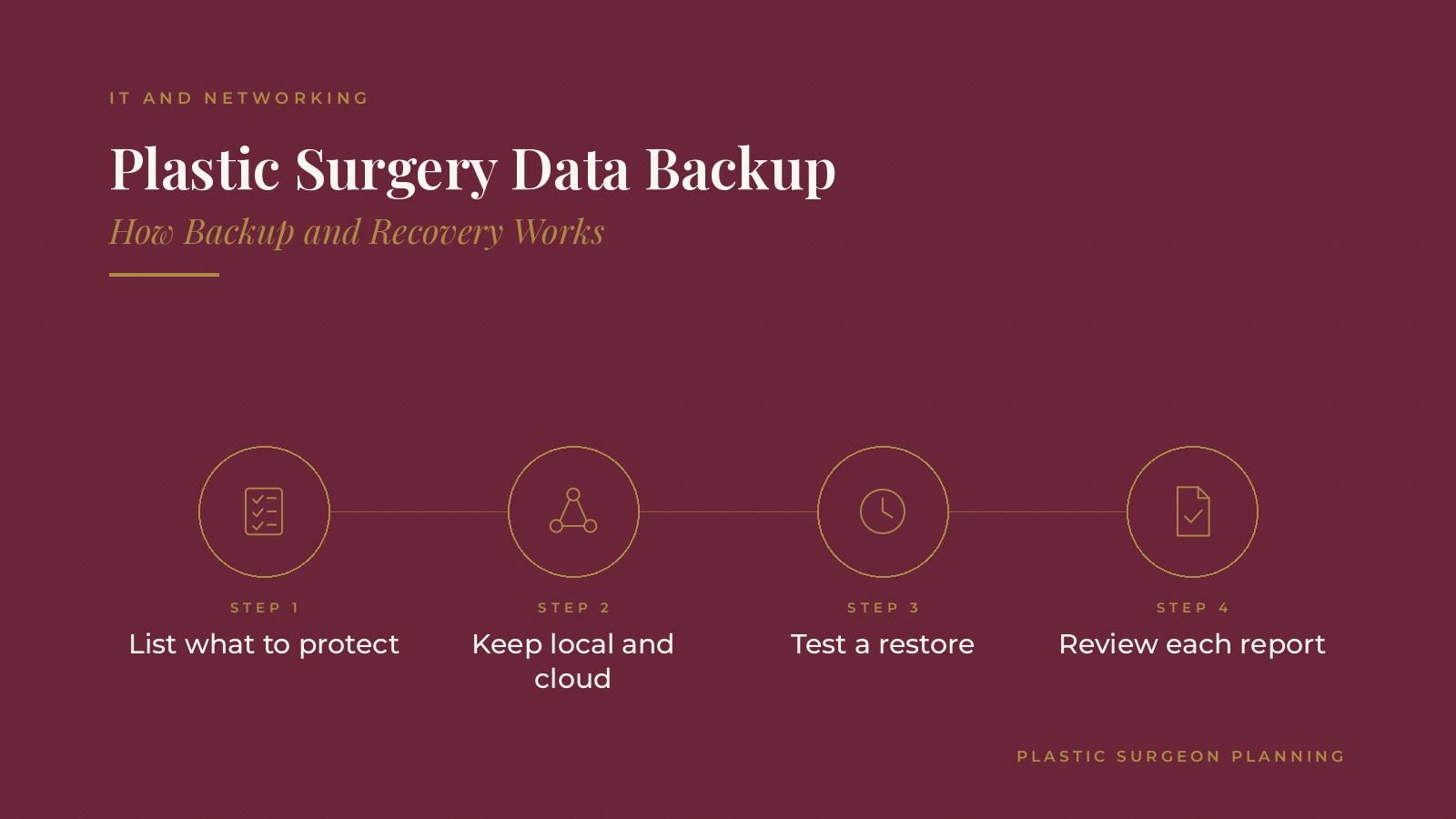
In short, plastic surgery data backup tends to work best when the practice lists everything worth protecting, keeps both local and cloud copies, runs backups on a set schedule, tests restores regularly, writes down a recovery plan and has a named person review the backup reports.
This resource from Plastic Surgeon Planning explains what a practice backs up, local and cloud copies, schedules, restore testing, recovery planning, report reviews and the questions practices often bring to an IT and cloud services professional.
Key takeaways
- List every system and folder worth protecting.
- Keep at least one local and one cloud copy.
- Run backups on a set, automatic schedule.
- Test restores so recovery is proven.
- Assign someone to review backup reports.
Why plastic surgery data backup matters
Files are part of daily work
Consult notes, surgery schedules, shared documents, email and accounting files keep a practice running. Losing access to them, even for a day, can disrupt consults and surgery dates.
Many ways to lose data
Drives fail, laptops are lost, folders are deleted by mistake and ransomware locks files. A backup is the plan for all of these at once.
Recovery is the real goal
A backup only matters if the practice can get its files back quickly. Planning for recovery, not just copying, is what makes backup useful.
The cybersecurity for plastic surgeons guide covers the everyday habits that help prevent many data loss events.
What a practice backs up
Cloud systems
Many records, scheduling and email systems are hosted by outside vendors. Practices often confirm what each vendor backs up and whether an extra copy of key data makes sense.
Local servers and shared drives
Files stored on an office server, a network drive or a front desk computer need their own backup, since no vendor covers them.
Settings and configurations
Firewall settings, phone system setups and workstation images can take hours to rebuild. Saved copies shorten recovery after a failure.
The Microsoft 365 for plastic surgery practices guide explains how email and shared files are often organized in the cloud.
Plastic Surgeon Planning can introduce you to independent IT and cloud services professionals who work with plastic surgery practices on backup planning, cloud storage and recovery testing. To request an introduction, contact us or call or text (972) 616-4581. You can also read about plastic surgery practice cloud services.
Local and cloud copies
The 3-2-1 approach
A common pattern keeps three copies of important data on two kinds of storage, with one copy offsite. Many practices use a local backup device plus a cloud service.
Fast local restores
A local copy can restore a single file or a full computer quickly, which helps with everyday mistakes.
Offsite protection
A cloud or offsite copy protects against fire, flood, theft or an event that affects the whole office.
Locked copies
Some backup services offer immutable or locked copies that cannot be changed or deleted for a set period, which adds protection against ransomware.
Encrypted copies
Backups are usually encrypted both while they travel and while they are stored, so a lost device or intercepted copy cannot be read.
Backup schedules
Automatic and regular
Backups that run on their own each night, or more often for busy systems, remove the risk of someone forgetting.
Matching the schedule to the work
Systems that change all day, such as shared scheduling files, may be backed up several times a day, while archived folders may need only a weekly copy.
How long copies are kept
Retention settings decide how far back the practice can go. Keeping daily, weekly and monthly versions allows recovery from problems found weeks later.
Watching for silent failures
A backup job can stop quietly after a password change or a full drive. Alerts that email a named person when a job fails catch these gaps quickly.
Testing restores
A backup is only proven by a restore
Many practices restore a sample file or folder each month and a full system on a less frequent schedule to confirm the copies actually work.
Timing the restore
Noting how long a full restore takes shows whether the practice could be back up and running within an acceptable window.
Writing down the results
A short log of each test, what was restored and any issues found gives the practice a record and points out problems early.
Testing after changes
New servers, moved folders and added cloud systems are good moments for an extra restore test, since changes are when backups most often miss something.
Recovery planning
A written plan
A recovery plan lists the order in which systems come back, who makes decisions, who calls each vendor and how the team keeps working in the meantime.
Contact lists
Phone numbers for the IT provider, cloud vendors, internet carrier and key staff are kept somewhere reachable even when office systems are down.
Practice runs
Walking through the plan once or twice a year, even as a short tabletop review, helps the team spot missing steps.
Keeping surgery days on track
Many plans include a short list of what the team needs to run a surgery day without office systems, such as printed schedules for the next few days and phone numbers for the surgical team.
Questions practices bring to an IT and cloud services professional
Coverage questions
Practices often ask which systems are already protected by vendors, what still needs a separate backup and where copies are stored.
Recovery questions
Other common topics include how long a full restore takes, how often restores are tested and what the first hour of an outage looks like.
Reporting
An IT and cloud services professional can explain how backup reports are shared, who reviews failures and how the plan is updated as the practice adds systems or locations.
The plastic surgery CRM guide covers another cloud system whose data many practices include in their backup review.
Frequently asked questions
What is plastic surgery data backup?
It is the routine of copying a practice's important files and systems to separate, protected locations so they can be restored after a problem.
What is the 3-2-1 backup approach?
It keeps three copies of important data on two kinds of storage, with one copy offsite, often a local device plus a cloud service.
How often should a practice back up its data?
Many practices back up automatically every night, and more often for systems that change throughout the day.
Why test backup restores?
A restore test confirms the copies work and shows how long recovery takes, before a real outage puts the plan to the test.
Who reviews backup reports in a practice?
Many practices name an IT professional or office manager to check daily reports, follow up on failures and log restore tests.
Request an introduction
Plastic Surgeon Planning can introduce you to independent IT and cloud services professionals who work with plastic surgery practices on backup and recovery planning, cloud storage and restore testing. Learn more about plastic surgery practice cloud services, then take the short Plastic Surgeon Planning Business survey and request an introduction. You can also call or text (972) 616-4581, or contact us. The form goes to [email protected].



