Plastic Surgery Practice Automation | Routine Office Tasks to Automate
Plastic surgery practice automation is the use of software to handle routine, repeatable office tasks, such as appointment reminders, inquiry acknowledgments, form delivery and internal task lists. It gives staff more time for the conversations and details that patients notice most.
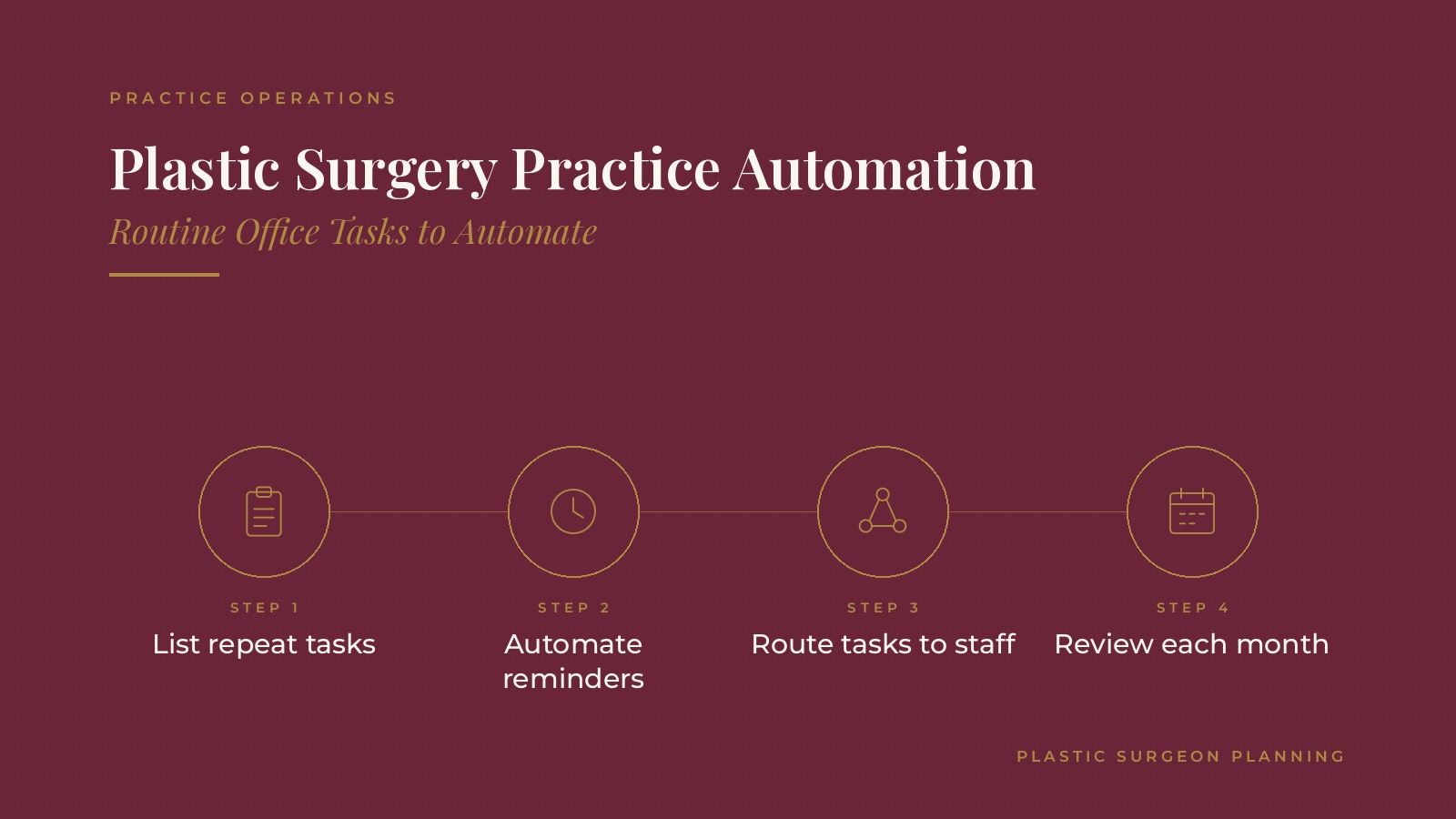
In short, plastic surgery practice automation tends to work best when the practice lists its repeat tasks first, automates the simple and predictable ones, routes anything that needs judgment to a person, keeps messages short and warm and reviews each automated step every month.
This resource from Plastic Surgeon Planning explains which tasks practices commonly automate, which ones usually stay personal, how automation fits with existing systems and the questions practices often bring to a practice operations professional.
Key takeaways
- List repeat tasks before choosing tools.
- Automate simple, predictable steps first.
- Keep judgment calls with staff.
- Keep automated messages short and warm.
- Review every automated step monthly.
What plastic surgery practice automation covers
Routine, repeatable tasks
Automation fits tasks that happen the same way every time, such as sending a reminder two days before a consultation or adding a follow-up task after a new inquiry.
Tools practices already have
Many practice management systems, CRMs and phone platforms include automation features. The plastic surgery CRM guide covers how inquiry follow-up is usually organized.
What it is not
Automation does not replace the coordinator conversation, the surgeon consultation or the personal check-ins that shape how patients feel about the practice.
Listing repeat tasks first
A week of notes
Many practices ask each team member to note repeat tasks for a week. The list usually includes reminders, confirmations, form requests, internal handoffs and report pulls.
Sorting by effort and risk
Tasks that take time but follow a fixed pattern are good candidates. Tasks that need a judgment call or a sensitive conversation usually stay with staff.
Choosing a starting point
Starting with one or two simple tasks, such as appointment reminders, lets the team see how automation works before adding more.
Naming an owner for each task
Each automated task works best with one staff member who owns it, checks that it runs and updates it when something changes. Without an owner, outdated messages can keep going out for months.
Plastic Surgeon Planning can introduce you to independent practice operations professionals who work with plastic surgery practices on workflow automation, scheduling tools and office routines. To request an introduction, contact us or call or text (972) 616-4581. You can also read about plastic surgery practice operations.
Patient-facing tasks practices often automate
Appointment reminders
Text and email reminders before consultations and procedure visits are among the most common automations. The plastic surgery online booking guide covers how booking tools connect to reminders.
Inquiry acknowledgments
An automatic reply that thanks the person for reaching out and explains when the coordinator will call sets clear expectations.
Form delivery
Sending intake forms a few days before a visit, with a follow-up reminder if they are not completed, shortens check-in.
Post-visit check-ins
Some practices schedule a short message after a consultation asking whether the person has questions, with replies going to a coordinator.
Internal tasks practices often automate
Task assignment
New inquiries can create a task for the coordinator, and completed consultations can create a follow-up task with a due date.
Handoffs between teams
When a patient schedules surgery, the system can notify the surgical scheduler and the front desk so nothing waits on a hallway conversation.
Surgery day preparation lists
When a procedure date is set, the system can build a checklist for the team with due dates for each preparation step, so the surgical coordinator sees at a glance what is complete and what still needs attention.
Routine reports
Weekly reports on inquiries, consultations and scheduled procedures can be sent on a set schedule rather than pulled by hand.
Recall and anniversary tasks
Some practices set reminders for staff to reach out at set points after a procedure, such as annual check-in visits, so long-term follow-up does not depend on memory.
Inventory and supply alerts
Low-stock alerts for frequently used supplies can create a task for the person who handles ordering, which keeps procedure days from being disrupted.
Keeping the personal touch
What stays with people
Consultation follow-up calls, surgery preparation conversations and post-op check-ins usually stay personal. Patients often remember who called them more than any message they received.
Easy ways to reach a person
Every automated message can include the practice phone number or a reply option that reaches a coordinator during office hours.
Warm, short messages
Automated messages tend to read best when they are short, use the practice's name and point to a real person for questions. The plastic surgery patient communication guide covers tone before and after surgery.
Health details stay off automated texts
Many practices keep automated texts to times, locations and general reminders, and handle anything about a patient's care through the practice's secure systems or a phone call.
Reviewing plastic surgery practice automation
Measures many practices watch
- Reminder delivery and confirmation rates
- Time from inquiry to first coordinator call
- Forms completed before arrival
- Tasks completed on time
A monthly review
Many practices check each automated step once a month, read a sample of messages and ask staff whether anything feels off or outdated.
Updating with changes
New services, staff or office hours often mean message updates. Keeping a simple list of every automation, with its owner, makes those updates quick.
Watching for over-messaging
Patients can receive reminders from several systems at once. A periodic check of every message a patient might receive before a visit helps the practice trim duplicates and keep the tone consistent.
Asking patients
A short question at checkout about whether reminders were helpful gives the practice simple, useful feedback on its automated messages.
Questions practices bring to a practice operations professional
Common planning questions
- Which repeat tasks are the best place to start?
- Which existing systems already include automation?
- How should automated messages hand off to staff?
- How often should the practice review its automations?
Keeping systems in the practice's name
Many practices keep the CRM, phone and scheduling accounts in the practice's own name, with outside professionals added as users. The plastic surgery patient follow up guide covers related post-op workflows.
Frequently asked questions
What is plastic surgery practice automation?
It is the use of software to handle routine office tasks such as appointment reminders, inquiry acknowledgments, form delivery, task lists and reports.
Which tasks do practices automate first?
Many start with appointment reminders and inquiry acknowledgments because they follow a fixed pattern and save staff time each day.
Which tasks usually stay personal?
Consultation follow-up calls, surgery preparation conversations and post-op check-ins usually stay with staff and surgeons.
Does automation replace the patient coordinator?
No. Automation handles repeat tasks so the coordinator has more time for the conversations and details patients value.
How often should automations be reviewed?
Many practices review each automated step monthly and update messages when services, staff or office hours change.
Request an introduction
Plastic Surgeon Planning can introduce you to independent practice operations professionals who work with plastic surgery practices on practice automation, office workflows and patient communication routines. Learn more about plastic surgery practice operations, then take the short Plastic Surgeon Planning Business survey and request an introduction. You can also call or text (972) 616-4581, or contact us. The form goes to [email protected].



